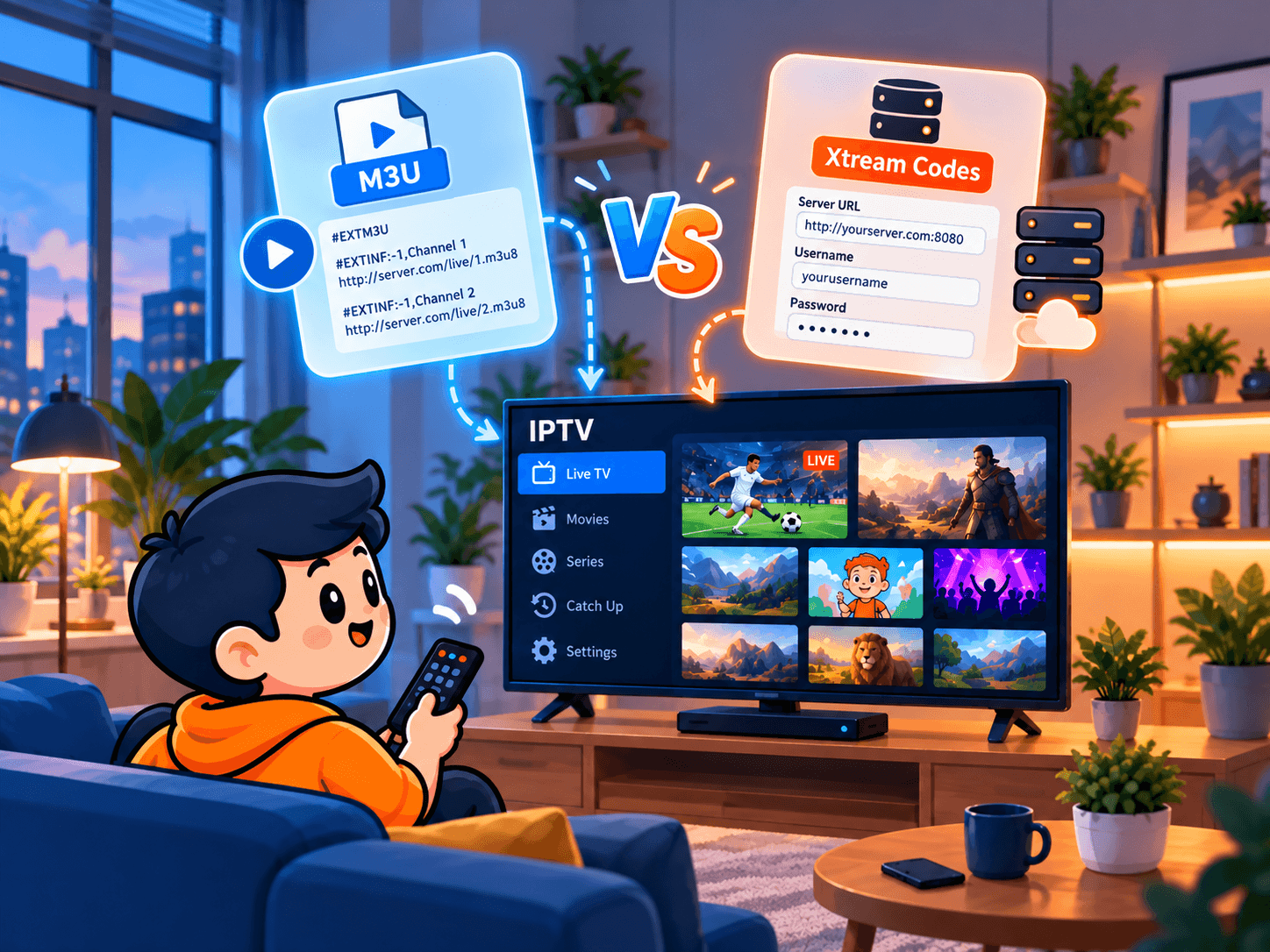
Open an IPTV welcome message and you will usually find two kinds of login: one very long web address, the M3U link, and a short set of three details, the Xtream Codes login. Most player apps ask you to pick one on their first screen, without saying which is better.
Both connect to the same channels on the same servers, so neither gives a sharper picture. What differs is how the app receives the channel list, the TV guide and the on-demand library, and that shapes how pleasant the app is to use every day. This applies to SofaIPTV and to any provider that offers both.
The short answer
Use Xtream Codes whenever your app supports it. Keep the M3U link as a fallback for apps that only accept a single playlist address.
How an M3U link works
M3U is a plain-text playlist format that dates back to early digital music players. Each line describes one channel: its name, a few labels such as its group and logo, and the address of the stream. When you add an M3U link, the app downloads the whole list at once and shows it as your line-up.
Providers give you the list as a link rather than a file so they can update it without any action from you. The link usually has your username and password built into it, which is why it is so long.
How an Xtream Codes login works
Xtream Codes was originally the name of server software used by IPTV providers. The software has long since disappeared, but its login method became a de facto standard. “Xtream Codes”, “Xtream Codes API” or “Xtream login” today simply means three details:
- Server URL: the provider’s address, starting with http:// and sometimes ending in a port such as :8080.
- Username: your account name.
- Password: the matching password.
Rather than pulling one huge list, the app asks the server for each part separately: live channel groups, the film library, series with seasons and episodes, the TV guide and catch-up data. The result is a cleaner app with distinct Live TV, Movies and Series sections.
Side by side
- Typing it in: Xtream needs three short entries; an M3U is one long address that is painful to type with a remote but easy to paste on a phone or computer.
- TV guide: Xtream usually loads the EPG automatically; M3U often needs a separate guide link.
- Films and series: Xtream sorts the library into Movies and Series with posters and episode lists; M3U often mixes them into long lists or leaves them out.
- Catch-up: apps generally need the extra information an Xtream login supplies.
- Loading speed: big M3U lists can be slow on older devices; Xtream only fetches the section you open.
- Compatibility: almost every player accepts M3U, even very old ones; nearly all modern players support Xtream, but not every basic app.
Which login to use on your device
- Fire TV Stick and Android TV: Xtream Codes in TiviMate or IPTV Smarters. See the Firestick installation guide and the TiviMate setup guide.
- Samsung and LG smart TVs: Xtream Codes in IBO Player or Flix IPTV, usually entered on the app’s website. Older apps such as Smart IPTV mainly take M3U. Our round-up of IPTV apps for Samsung and LG TVs has details.
- Android phones and tablets: Xtream Codes in IPTV Smarters or similar, using the IPTV Smarters Pro setup guide.
- iPhone, iPad and Apple TV: Xtream Codes in players that support it, otherwise M3U. See IPTV on iPhone, iPad and Apple TV.
- Windows and Mac: an M3U link in VLC is fine for a quick check; a dedicated IPTV player with Xtream gives the full experience.
Our apps and devices page lists recommended players for each screen and the logins they accept.
Entering each login without mistakes
Small typos cause most login failures. These habits prevent nearly all of them.
Xtream Codes
- Choose Add playlist or Add user, then Xtream Codes (or Xtream Codes API, or Login with Xtream).
- Type the server URL exactly, with http:// at the start and the port at the end if there is one.
- Enter the username and password, watching capital letters; both are usually case-sensitive.
- Name the playlist and save. Live TV, films, series and the guide should appear within a minute.
M3U link
- Copy the full link from your welcome message on a phone or computer instead of typing it.
- Where the app allows it, add the link through its website or companion app, or use a short link your provider recommends.
- Paste it into the M3U or Playlist URL field and save.
- If the guide is empty, add the separate EPG link in the app’s guide settings. The IPTV Extreme EPG guide shows the process step by step.
Login errors and their fixes
- Invalid login or authorisation failed: look for typos, especially in the password, and for spaces at the start or end.
- Cannot connect to server: check that the URL includes http:// and the right port. Some apps also reject a trailing slash.
- Logged in but no channels: refresh the playlist and restart the app. If that fails, check that the subscription has not expired.
- Channels but no guide: with M3U, add the EPG link manually; with Xtream, refresh the guide in settings and wait a few minutes.
- Maximum connections reached: another device is already playing on your account. Stop it there first, or read how multiple connections work.
- Slow loading on an older device: switch from M3U to Xtream, which loads only what you open.
If you can log in but streams freeze, the login is not the issue. The IPTV buffering guide covers network and device causes.
Keep both private
Either login gives full access to your subscription. Anyone holding it can use your connections and knock your own streams off with a connection error. Keep it out of forums, screenshots and reviews, and only enter it in trusted apps. If you think it has leaked, contact support and we can reset your password.
A third option: MAC address portals
MAG boxes and a few apps use a portal address tied to the device’s MAC address instead of a username and password; the provider registers the device on its side. It works well on hardware built for it, but it is locked to one device and less flexible than Xtream. If you use such a box, ask support to set up a portal login.
Summary
M3U and Xtream Codes open the same service, but Xtream gives the better day-to-day experience: a working guide, an organised film and series library and catch-up, from three short details. Keep the M3U link as a backup, enter both carefully and keep them private.
Want to compare them yourself? Request a free trial of SofaIPTV, add it once with each method and keep the one you prefer. When you are happy, pick a plan for your household.
Frequently asked questions
Is Xtream Codes better than M3U?
For most people, yes. Both play the same streams, but Xtream loads the TV guide, catch-up and an organised film and series library automatically, while M3U usually needs the guide added separately.
Does the login type change picture quality?
No. Quality depends on the stream, your connection and your device. The login only changes how the app receives your channel list and guide.
Can I use M3U and Xtream at the same time?
You can add each to a different app or device, but they share one account, so streams on either count towards your connection limit.
Why is an M3U link so long?
It usually contains the server address, your username, your password and a few options in one address. That is also why it should stay private.
My app only asks for a URL. What do I enter?
The M3U link. If there is also a guide or EPG field, paste the EPG link from your welcome message there.